Optics Tab
The Optics tab shows the health of the customer's fiber link. It's the most important tab for diagnosing connection problems, because almost every physical issue shows up here.
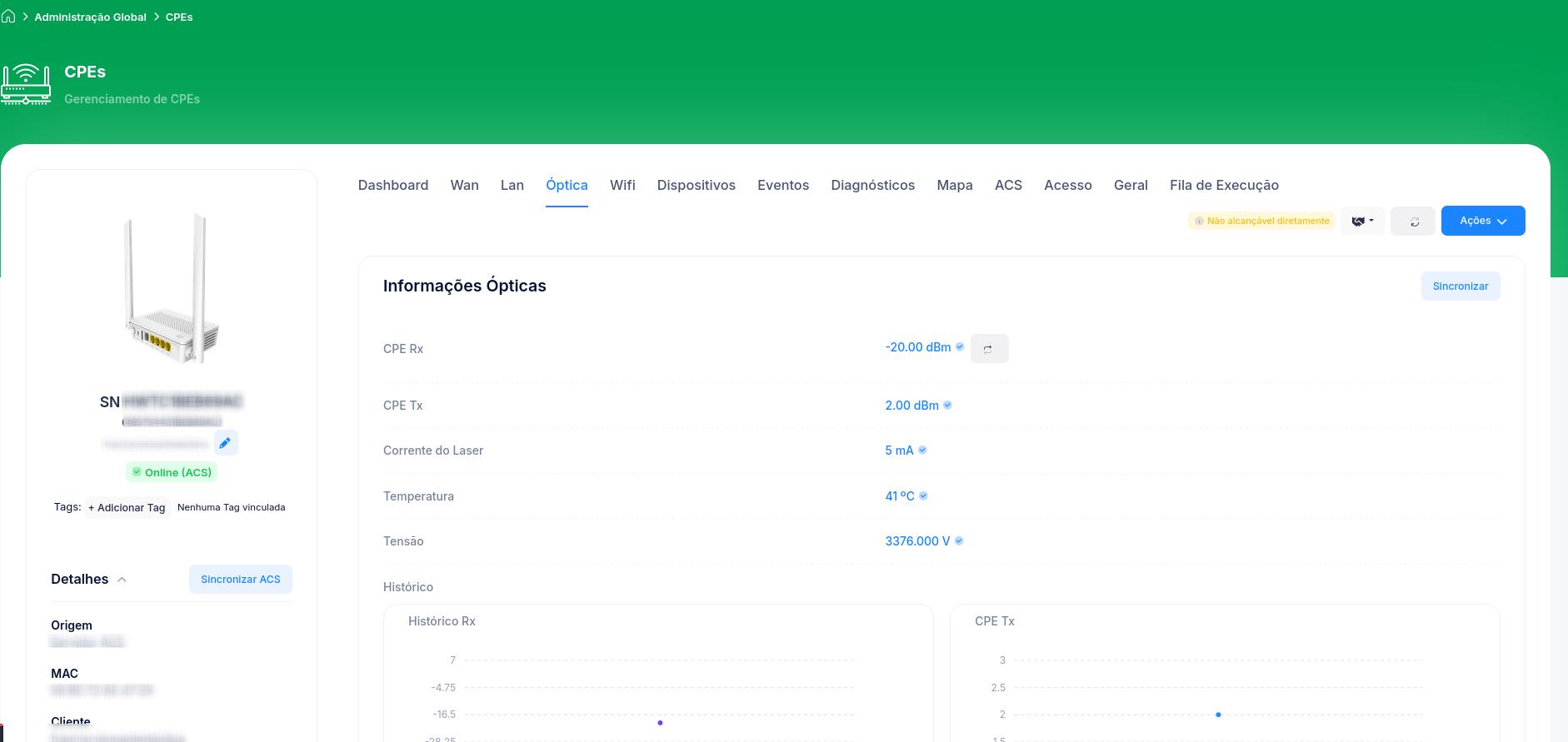
What to read
The Optical Information block brings, among others:
| Field | What it is |
|---|---|
| Module | Type of optical module (e.g., GPON - CLASS C+). |
| Encapsulation | Transceiver encapsulation type (e.g., BOSA ON BOARD). |
| CPE Rx | Power received by the customer's ONU, in dBm. It's the most used value for diagnostics. |
| CPE Tx | Power transmitted by the ONU, in dBm. |
| OLT Rx (Return) | Power at which the OLT receives this ONU's signal (the "return"). |
| Laser Current | The ONU's laser current, in mA. |
| Temperature | Optical module temperature, in °C. |
Cpehub also shows the signal on the CPE list (Signal column) and on the Dashboard, color-coded by quality. The block has a Sync button to update the values on the spot.
How to interpret the signal (RX)
The exact values depend on the network standard and manufacturer, but as a general rule for GPON:
| Range (RX) | Quality | Reading |
|---|---|---|
| Above -8 dBm | Too strong | A signal that's too high is also a problem (can saturate). |
| -8 to -25 dBm | Good | Healthy operating range. |
| -25 to -27 dBm | Attention | Starting to degrade; monitor it. |
| Below -27 dBm | Poor | High chance of instability/drops. |
| No signal / LOS | Critical | Broken fiber, loose/dirty connector, or the device is off. |
In Cpehub, the Dashboard's Signal Monitoring classifies CPEs as Excellent / Attention / Poor / LOS. This helps you act preventively, before the customer calls.
LOS (Loss of Signal)
LOS means total loss of optical signal. The most common causes are a broken fiber, a poorly seated/dirty connector, or the customer's equipment being off (in that case it usually comes together with a power event). See the full guide in Poor signal or LOS.
See also
- Poor signal or LOS
- Customer with no connection
- Signal Level Report — to find customers with poor signal in bulk