v1.4.19 Release Notes

At Cpehub, we are always looking for innovations and improvements to make life easier for our customers and internet providers. We are excited to begin rolling out the update to version v1.4.19 across environments.
Below are the notes about the new version:
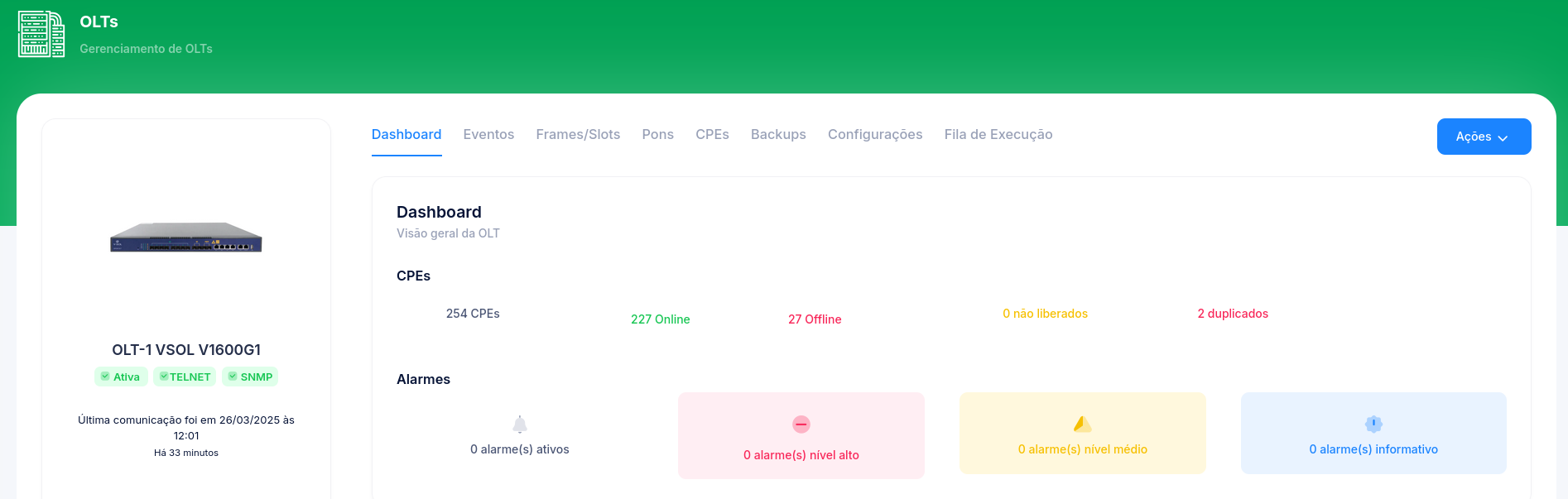
[New] Vsol OLTs
We have a new driver available — Cpehub now supports Vsol OLTs.
Models: V1600D4, V1600G1, V1600G0, V1600GT, V1600G2 and V1600GS.
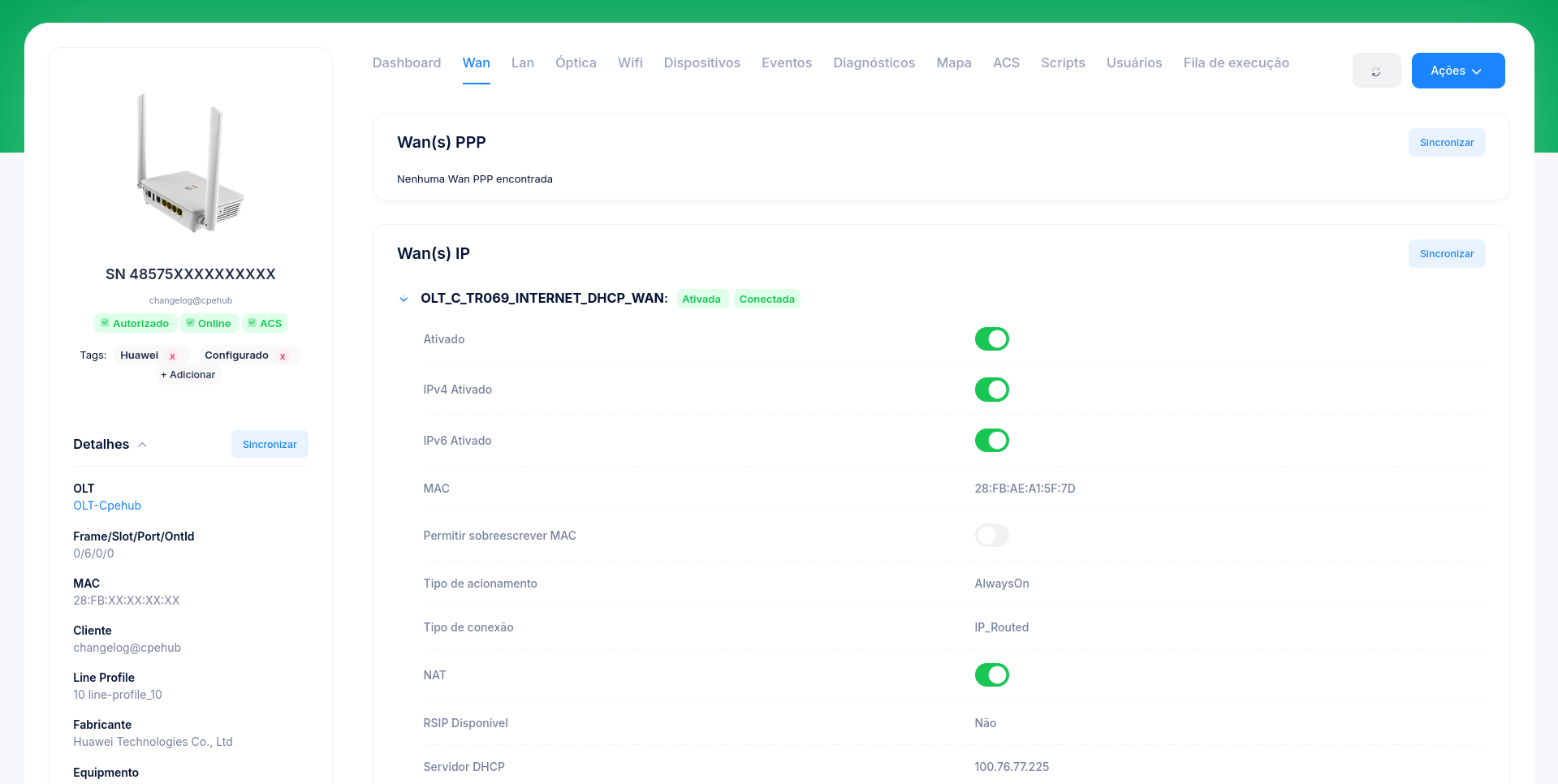
[New] ACS - IP WANs - TR-098
TR-098 models received improvements in IP WAN detection and a new IPv6 information structure
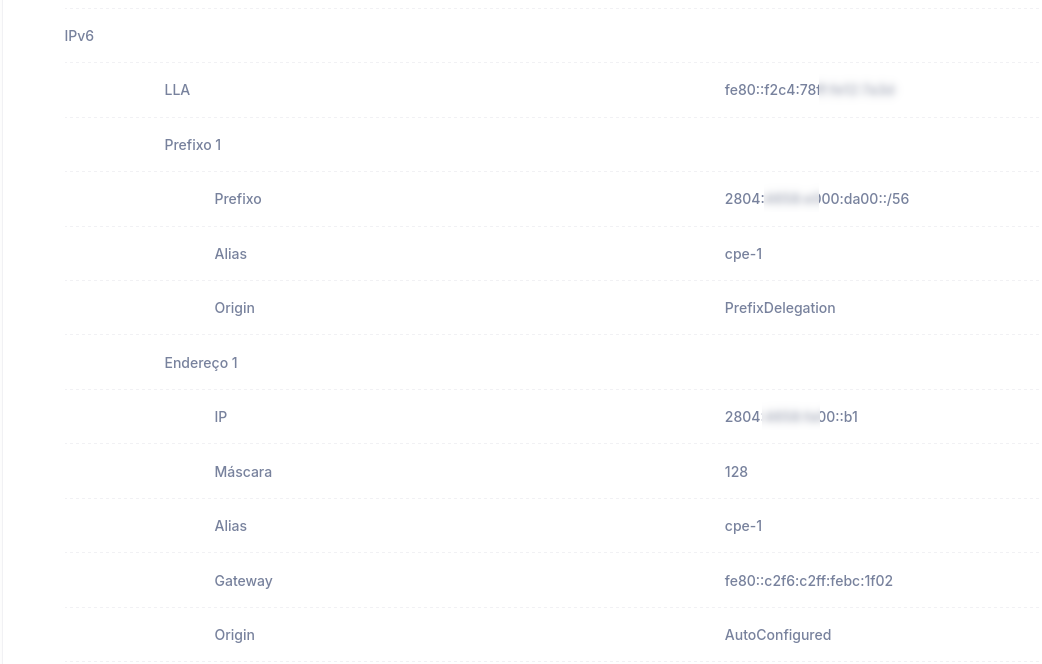
Note: This new IPv6 structure was also added to PPPoE WANs
[New] New Permissions
Roles now have two new permission options: "see cpes 24h" and "confirm cpes"
confirm cpes: Allows the user to confirm ONUs, making it possible to create a user who can only confirm ONUs, without being able to view or edit the system's other equipment.
see cpes 24h: Allows the user to see only the CPEs detected/confirmed in the last 24 hours.
If a user only has these two permissions, they will be able to confirm and view ONUs confirmed in the last 24 hours, limiting their access while still allowing maintenance of recently installed ONUs.
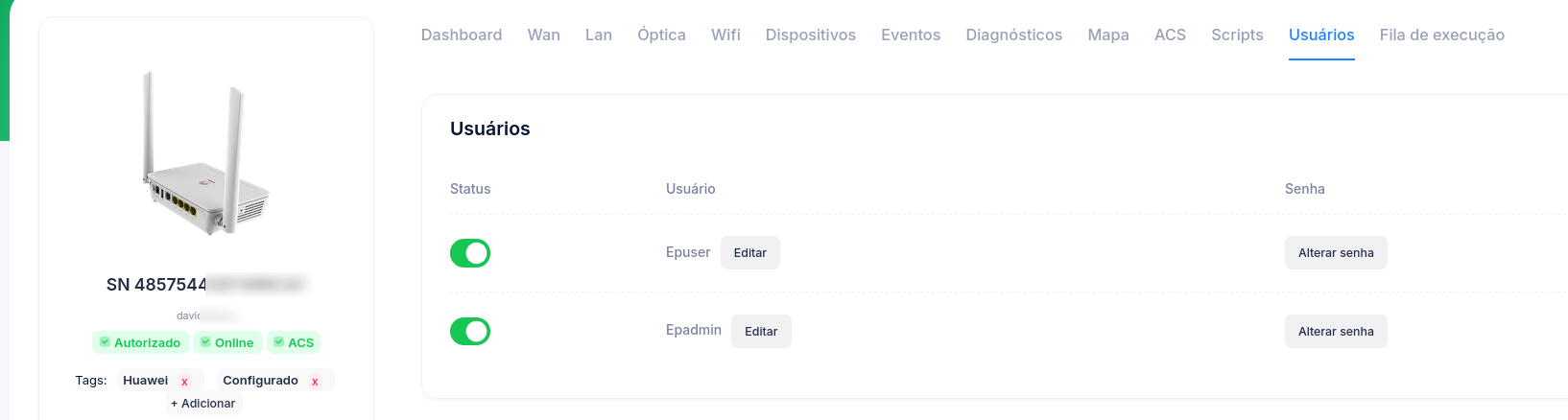
[New] ACS - Users - TR-098
Huawei ONUs now allow viewing and editing the device's access users (this data can also be set automatically via automations)
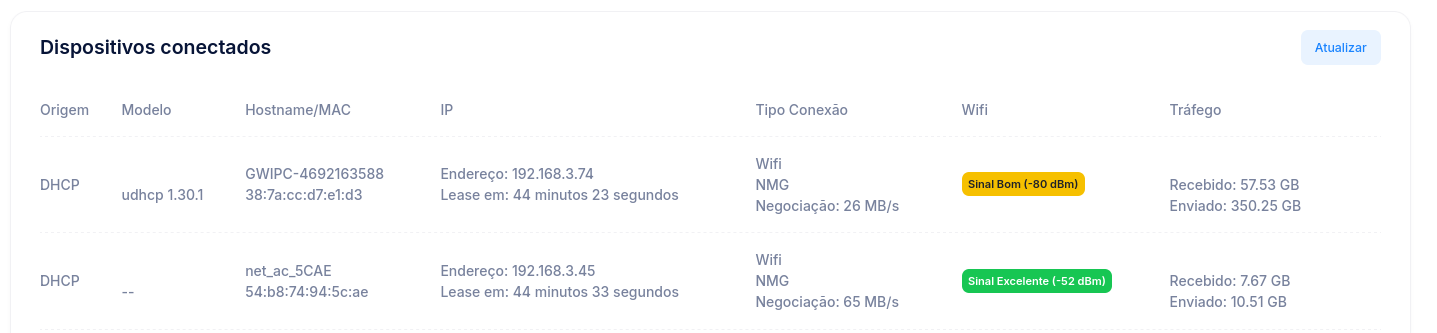
[New] ACS - Connected Devices
Huawei ONUs and Intelbras routers display the signal level of connected devices and indicate their quality with specific colors and information.
[New] ACS - Easy Mesh
ONUs that support Easy Mesh can have the feature enabled/disabled and also offer the option to customize the Threshold levels of the 2G and 5G networks separately.

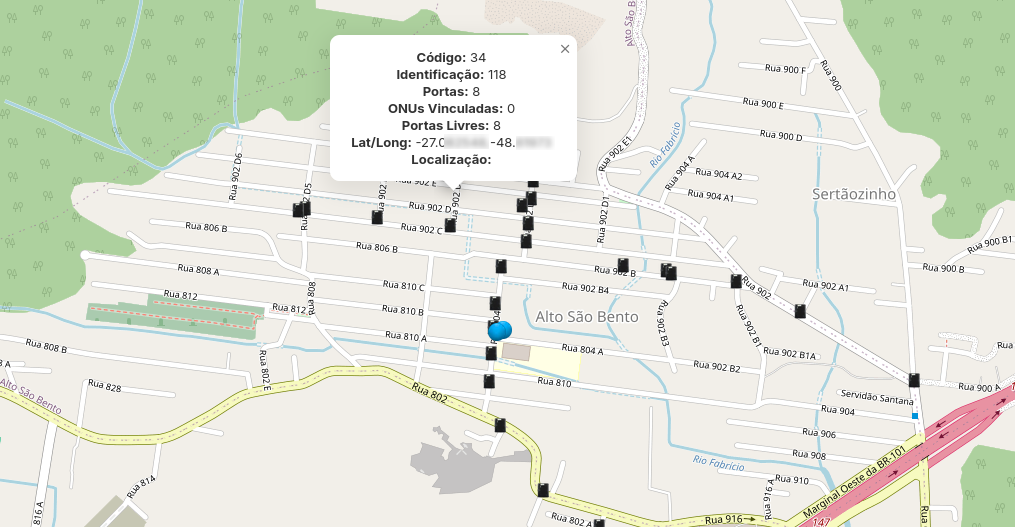
[New] IXC and SGP - CTOs
Providers using IXC and SGP will be able to view CTO information and see them on the maps
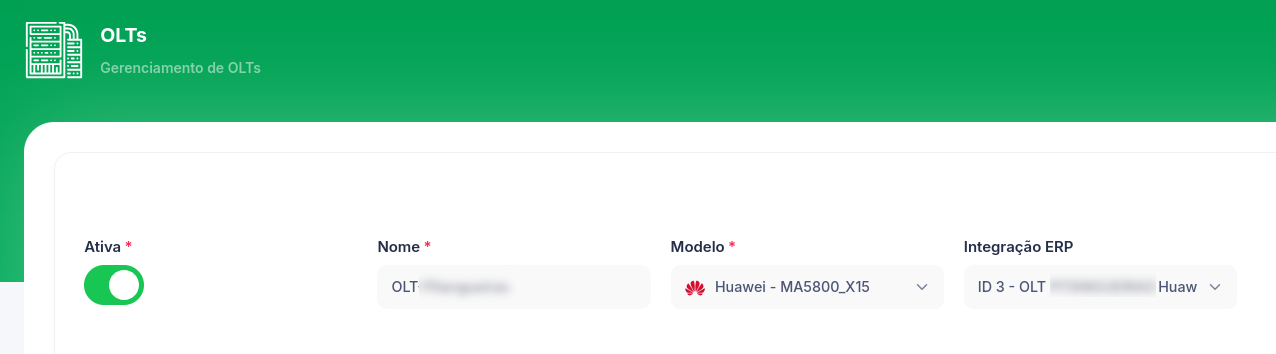
[New] IXC and SGP - OLTs
On the OLT edit screen, it is now possible to link the OLT with the OLT registered in IXC or SGP. This information will be required for providers who want Cpehub to automatically sync/create the ONU in the provider's ERP at the time the ONU is confirmed.
[New] IXC - Confirmation
On the CPE confirmation screen, providers using IXC will be able to search logins by Name, CPF, CNPJ, Login, or Service Order (O.S.).
After selecting a login from the search results, the system will sync the confirmed ONU's data in IXC; if the Fiber ONU doesn't exist, Cpehub will create it automatically. This removes the need to enter data manually in IXC and centralizes ONU confirmation in Cpehub, without creating missing information in IXC.
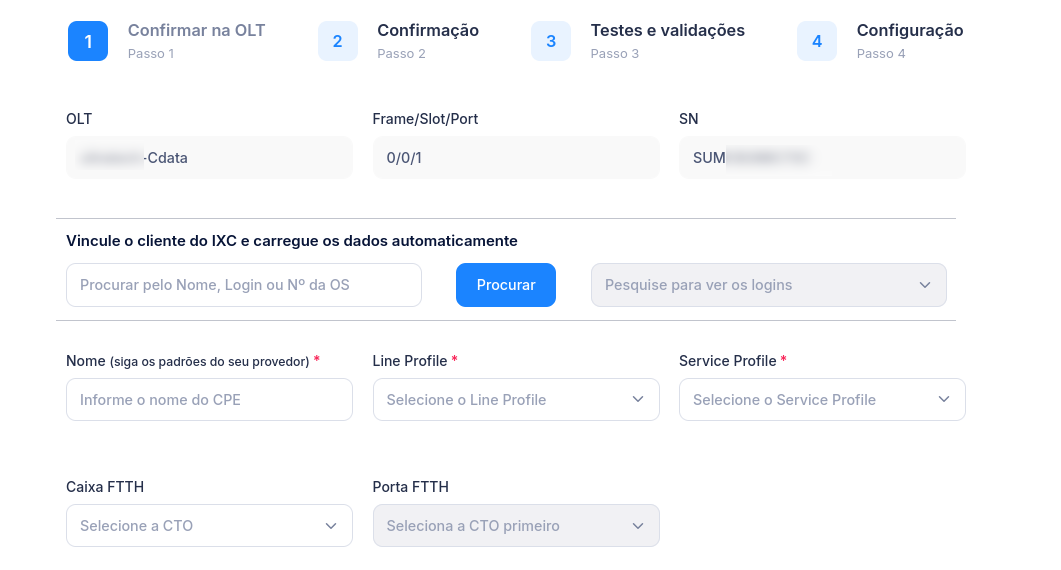
[New] IXC and SGP - FTTH/Port in Confirmation
As shown in the image above, it is now also possible to select the FTTH/Port during ONU confirmation.
[New] Automations - New Actions
Automations received two new actions: Reboot and reset CPE

[Fix] ACS Diagnostics
Some CPEs with diagnostic capabilities were not being identified correctly, preventing diagnostics from being run; this verification process was fixed.
[Improvement] User Creation
User creation no longer requires mandatory e-mail verification, making it possible to create users with provider e-mails even if they don't exist yet.
[Improvement] ACS Sync
When the system receives an event from the ACS server referring to a CPE that doesn't exist in Cpehub, that CPE will be synced automatically right away, without waiting for the standard 5-minute sync interval.
[Fix] Dark Mode
Some menus and tabs had fully dark text in dark mode, making them hard to read; this text was changed to gray.
[Fix] Powered-Off ONU Count
The count of powered-off ONUs was showing incorrect information in some scenarios; the counter was fixed.
Conclusion
Our purpose is to improve the system on an ongoing basis, listening to our provider customers and delivering more and more features and improvements.
If you'd like to comment on, share your opinion about, or even criticize any item in this update, please get in touch with us.
Regarding the update process, we inform you that it will be carried out gradually across providers. If you'd like to speed up the update of your environment, please contact technical support.