v1.4.16 Release Notes

At Cpehub, we are always looking for innovations and improvements to make life easier for our customers and internet providers. We are excited to begin rolling out the update to version v1.4.16 across environments.
Below are the notes about the new version:
Changes
Here are the changes and their descriptions:
[Fix] Fixed the button to remove a CPE from the ACS server
When a CPE was imported from the ACS server, the delete CPE button did not work correctly. This situation has been fixed and deletion now works normally on the ACS server.
[Fix] Duplicate name request during confirmation
When entering the name at the time of CPE confirmation, the same information was being requested again in the scripts. This has been fixed, and the name will no longer be requested in automation scripts.
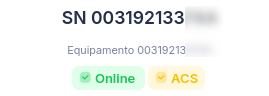
[New] ACS communication status
When a CPE has gone more than 15 minutes without communicating with the ACS server, its status will now turn yellow.
[New] Priority queue for operations
At certain times, using the system felt slow, since requests took a while to run due to other background routines being executed by the system.
Now, requests made by the user have higher priority and will be executed ahead of the system's standard routines.
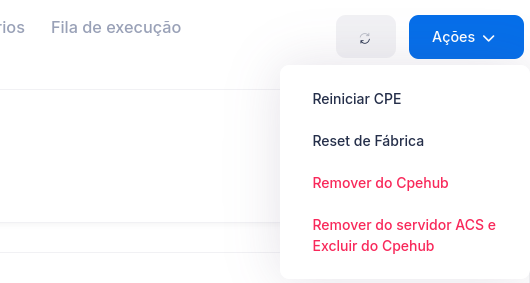
[New] Reboot and Reset CPE via ACS
CPEs that are not ONUs/ONTs can now be rebooted or reset directly from the CPE screen.
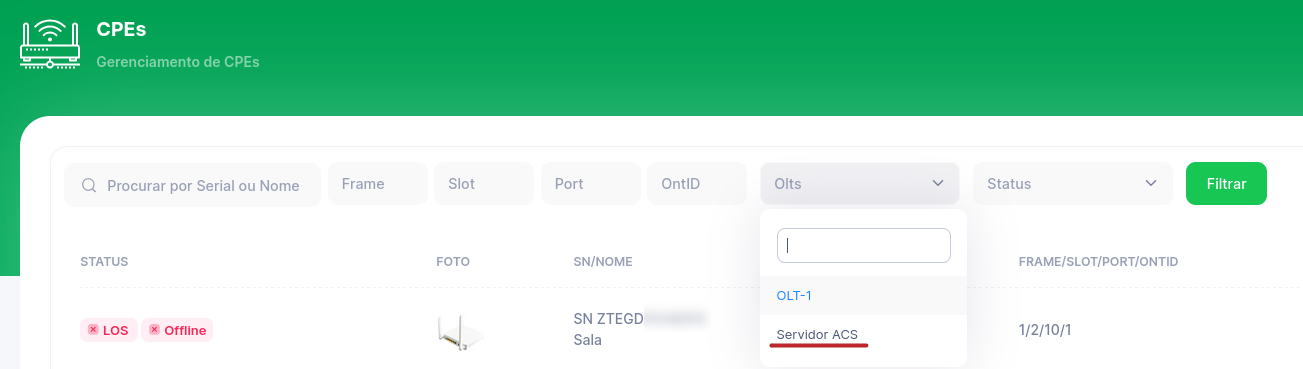
[New] New filter for ACS-only equipment
The CPE listing screen now has a filter to show only CPEs from the ACS server, i.e. those that are not ONUs/ONTs.
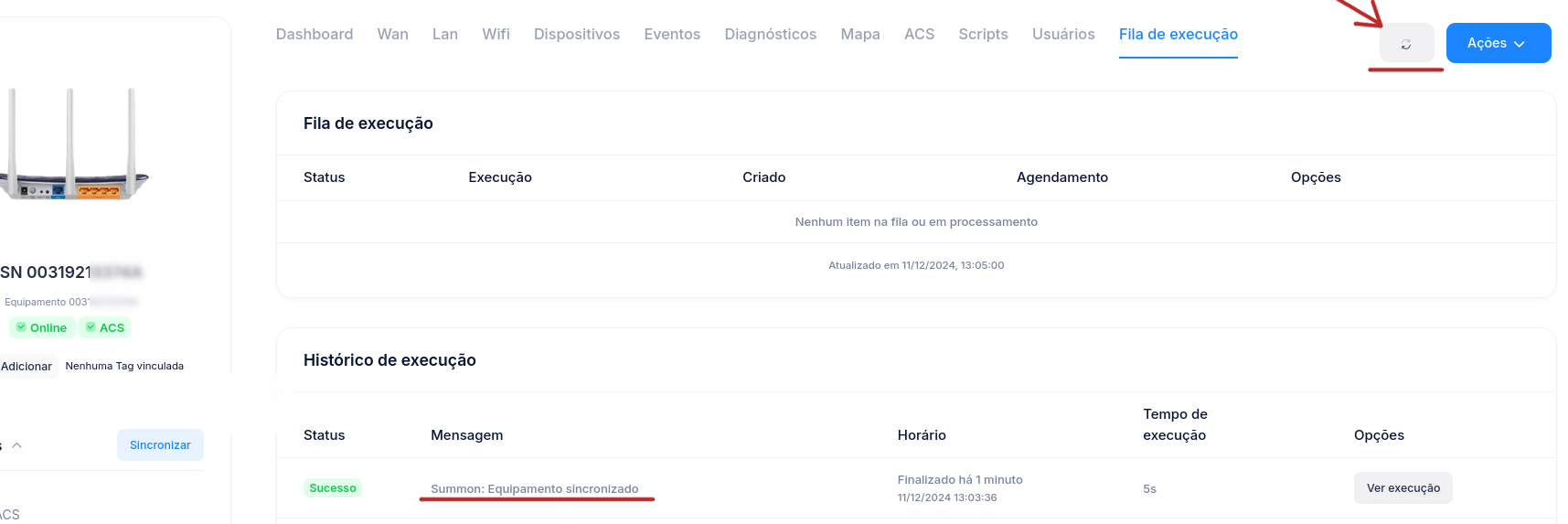
[New] Request CPE sync via ACS
It's now possible to request a sync of the CPE's data through the ACS server. Clicking the button makes the ACS server start a connection with the CPE and request an update of all the device's parameters.
[New] Reordered CPE menu
Previously, the CPE screen's options menu was sorted alphabetically. We found that this change reduced the system's usability, so we reverted it, making the menu order more consistent with everyday usage.
In addition, optical data is no longer shown under the Wan tab and now has its own menu.

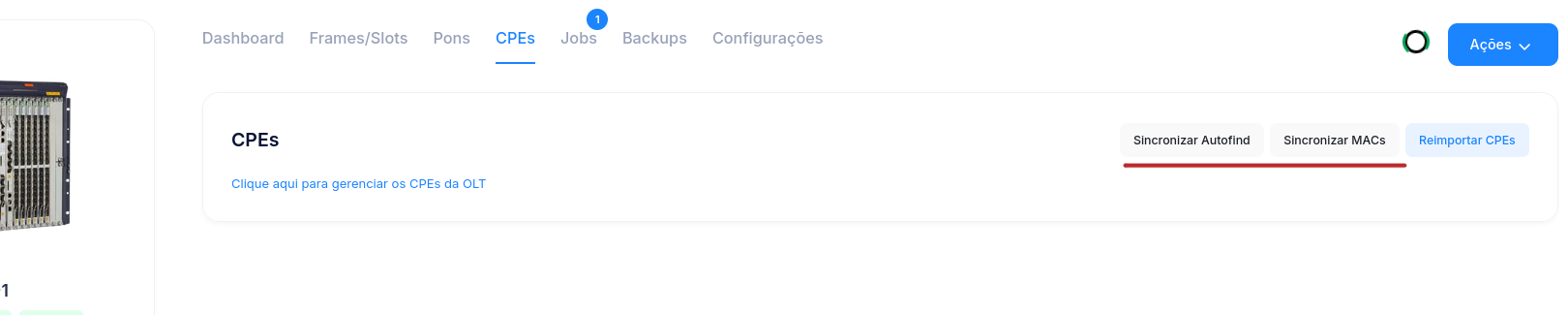
[New] New action buttons on the OLT
Two new buttons were added so users can trigger operations that used to run only automatically and periodically. Now, whenever needed, the user can trigger them at any time:
Sync Autofind: Autofind runs automatically every 2 minutes, but if needed, the process can be started manually.
Sync MACs: The CPE MAC sync process runs at the time of confirmation and then every 1 hour, but if needed, the process can be started manually.
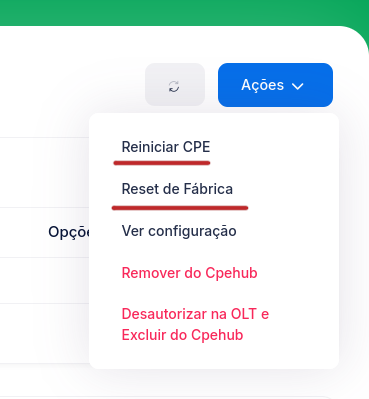
[New] Reboot and reset ONUs on ZTE OLTs
It's now possible to reboot and reset ONUs/ONTs directly from the ZTE OLT itself.
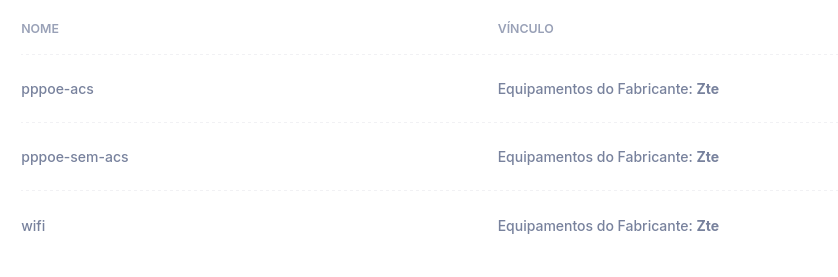
[New] New example scripts (ZTE)
New example scripts were created for ZTE OLTs — two of them used for provisioning, with the option to include TR-069 configuration or not, while the other script can be used to change the ONU's WiFi settings.
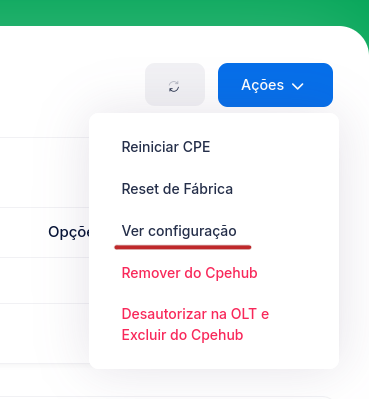
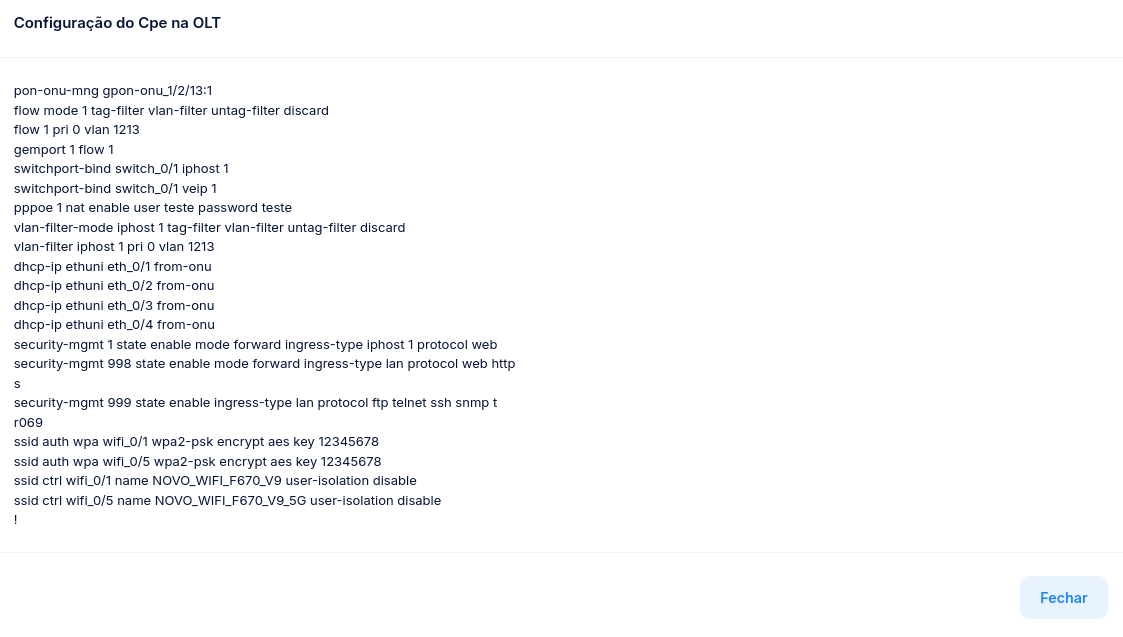
[New] View ONU configuration
An option was created to view the ONU's current configuration directly through the OLT.
This option does not run through a job queue — we'll be monitoring user feedback, and if this format proves better for everyday use, we'll start rolling it out for the execution of other system functions as well.
Note: at this time, this feature is only available for ZTE OLTs; we'll add it for other manufacturers soon.
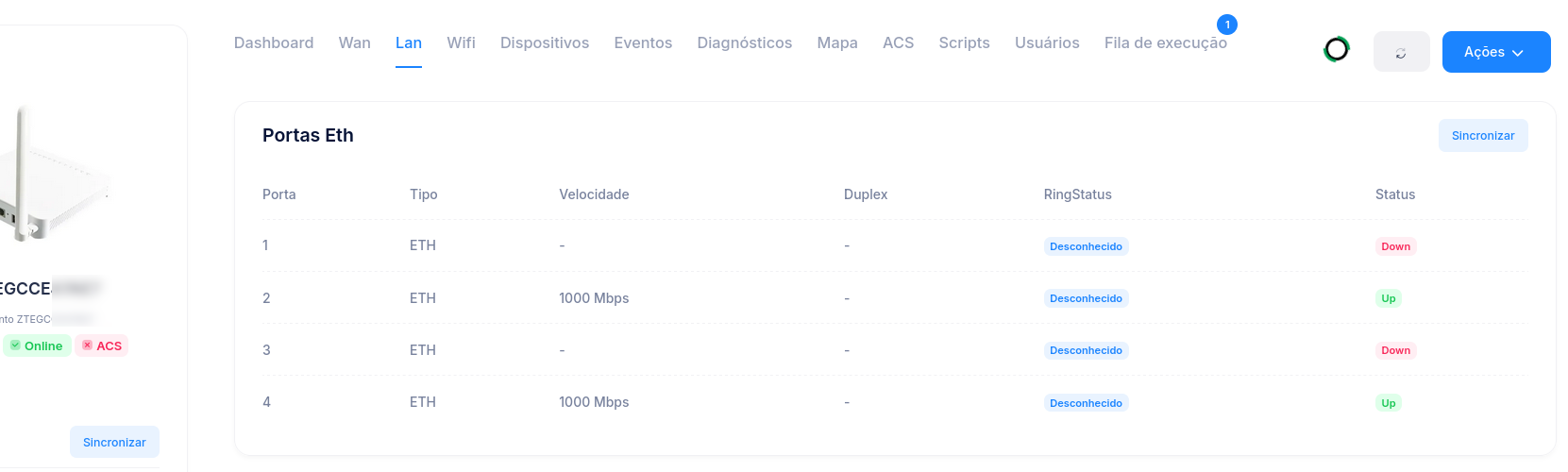
[New] View Lan ports through the ZTE OLT
The system can now obtain information about the ONUs' Eth ports through the ZTE OLT, without using the ACS server.
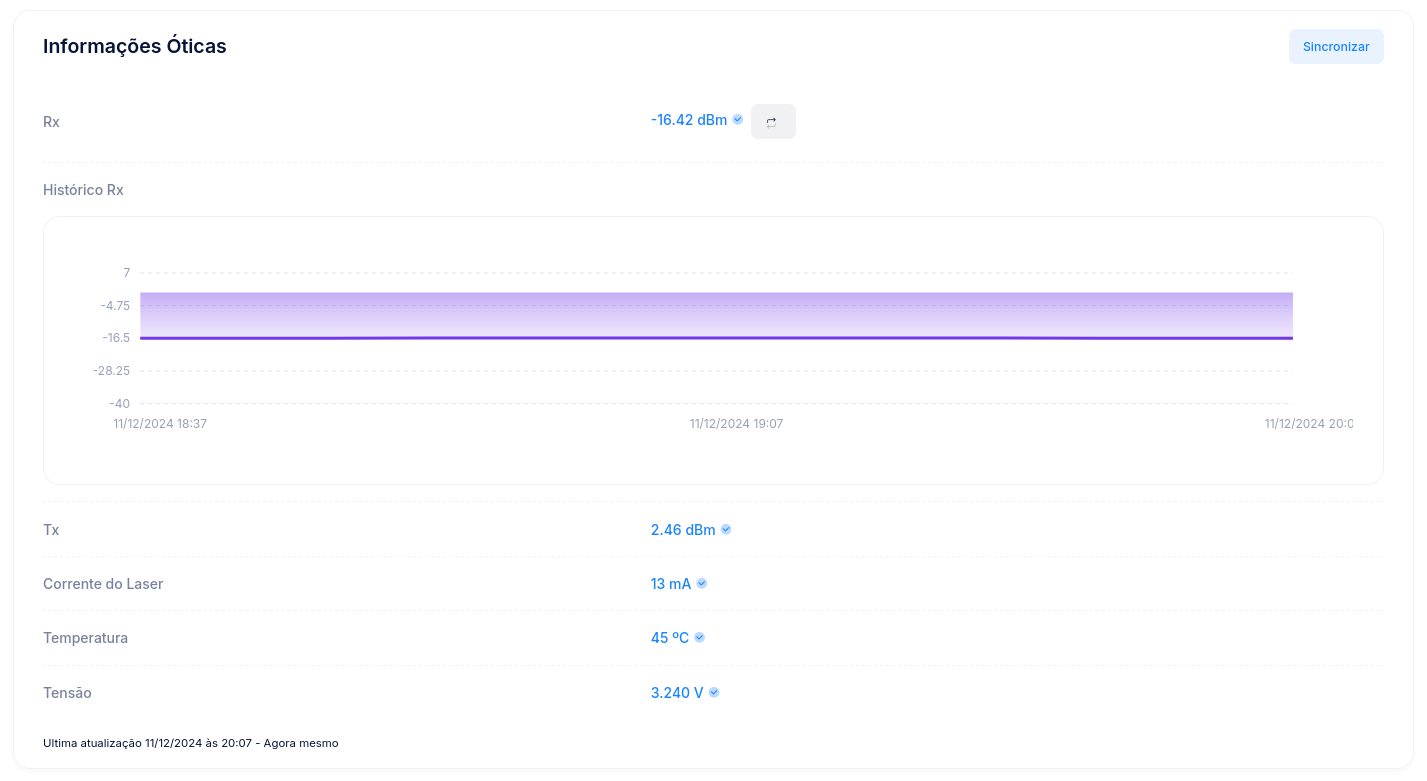
[New] New optical data from the ZTE OLT
The system can now obtain new information from the ONU's optical port through the ZTE OLT.
New data: Tx, Laser Bias Current, Temperature, and Voltage.
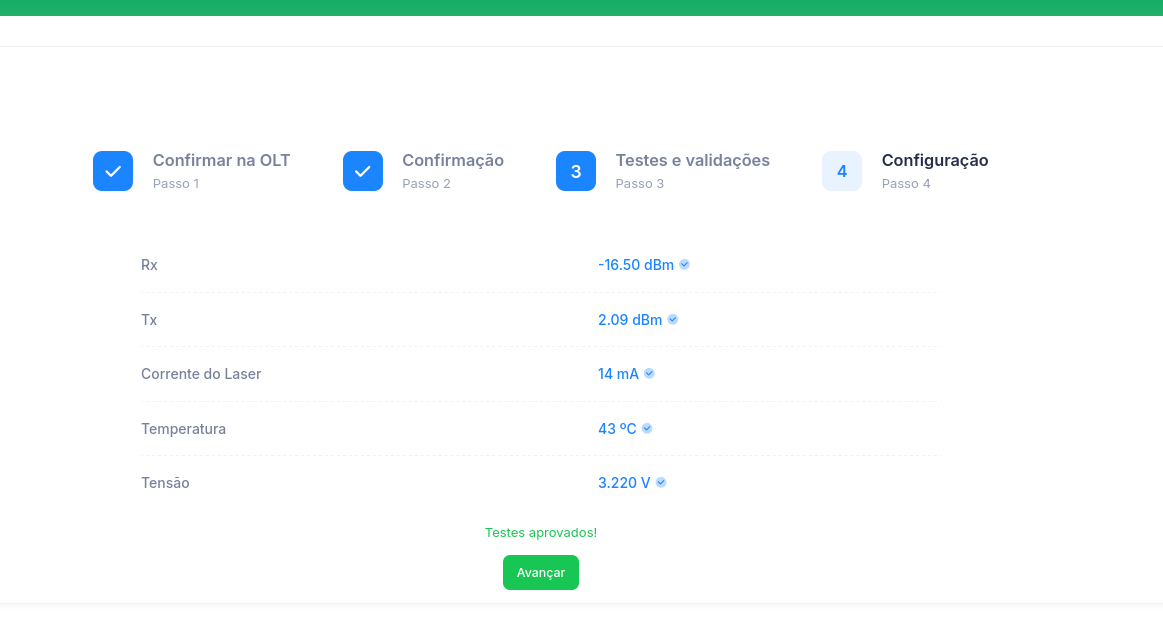
This data is also loaded at the time of CPE confirmation.
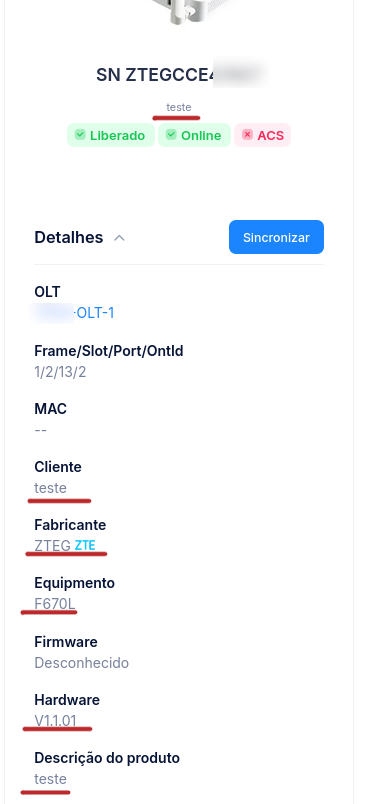
[New] View ONU hardware model on ZTE OLT
The system can now obtain hardware, name, and description information for ONUs on ZTE OLTs, without using the ACS server.
Conclusion
Our purpose is to improve the system on an ongoing basis, listening to our provider customers and delivering more and more features and improvements.
If you'd like to comment on, share your opinion about, or even criticize any item in this update, please get in touch with us.
Regarding the update process, we inform you that it will be carried out gradually across providers. If you'd like to speed up the update of your environment, please contact technical support.