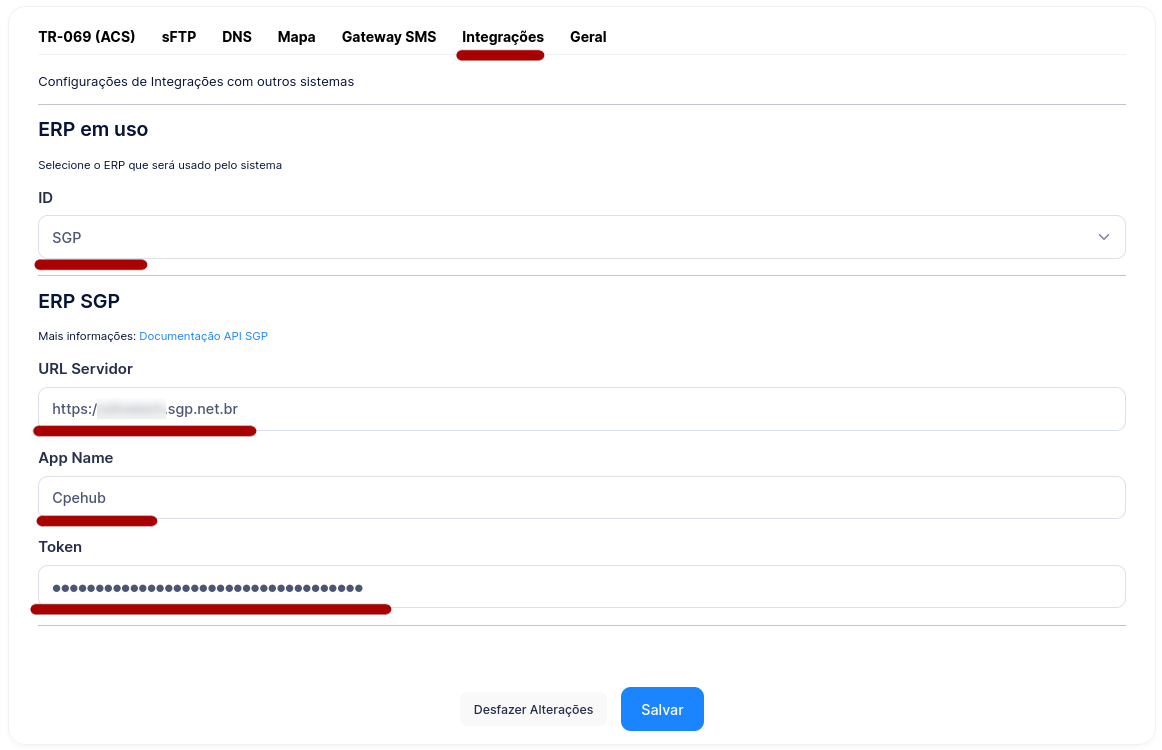
Configuration
On this page you'll find information about integrating with SGP
Creating the Token in SGP
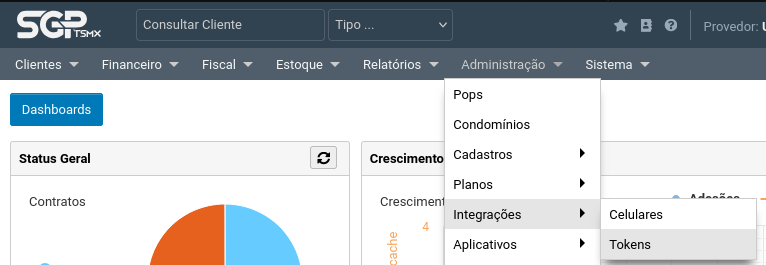
- Go to SGP and click the Administration -> Integrations -> Tokens menu:
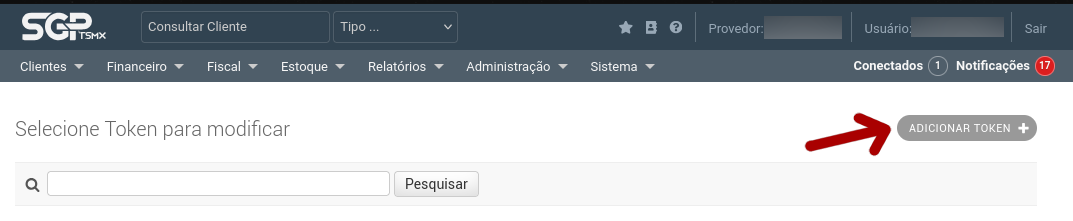
- Click the "Add Token" button, located in the top-right corner:
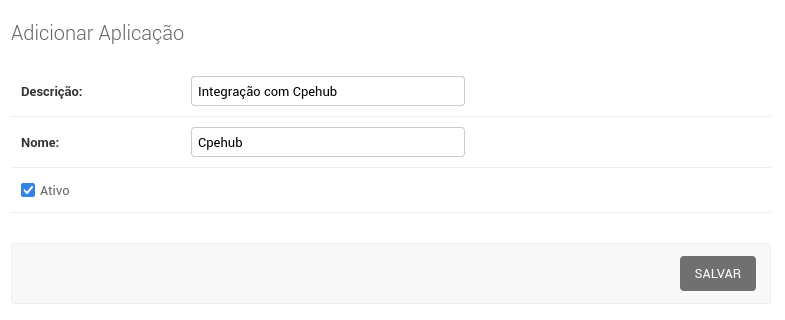
- Add a new application:
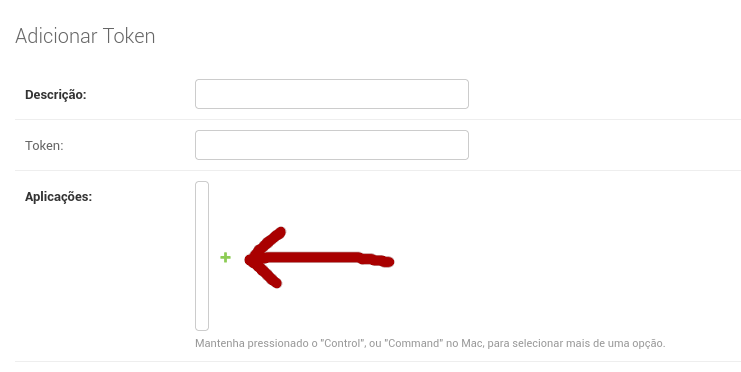
- Fill in the Name and Description and click Save
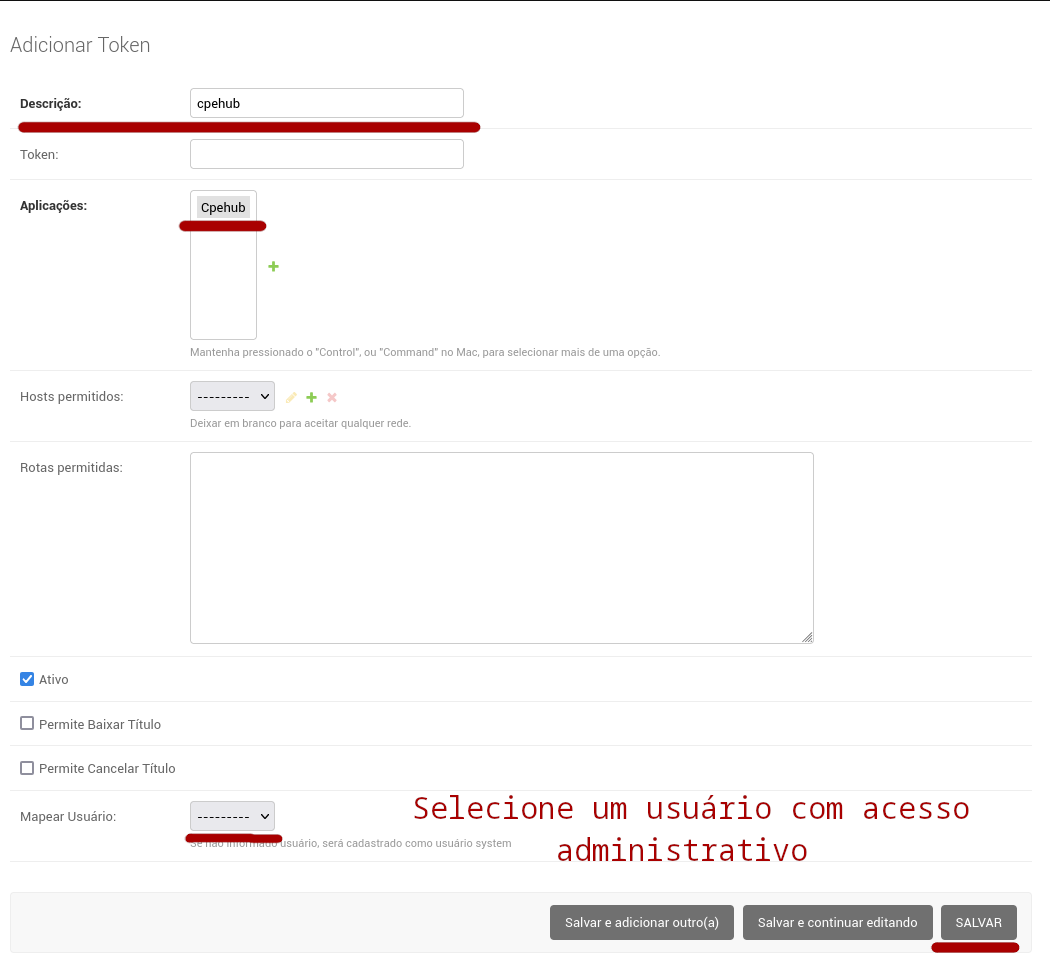
- Enter the Description, select the Cpehub application, and click Save
- After saving, a Token will be generated:
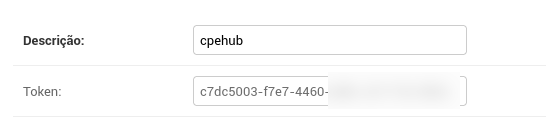
You'll need these two pieces of information to configure the integration in Cpehub
Configuring the integration with SGP
- Go to the Administration -> Settings menu:
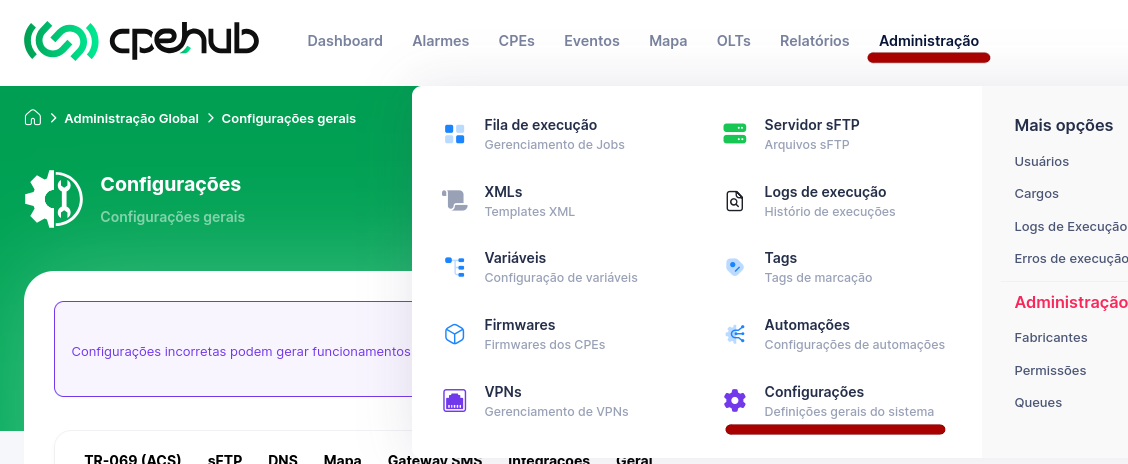
- Go to the Integrations tab, select the SGP ERP, enter your SGP server's URL, the Token name, and the code, then click Save!